
You adjust an ergonomic workstation to your body, not the other way round. Start with your chair, then set your desk at elbow height and your screen at arm's length with the top edge at eye level. And stand up regularly: the best posture is the next one.
If you spend all day at a screen, sooner or later you notice it: a stiff neck, sore shoulders, an aching lower back. Often that is not down to the work itself, but to how the workstation is set up. The good news: a few adjustments make you sit a lot better. This article takes you through the workstation step by step. It is general information; if you have complaints, see a GP, physiotherapist or occupational health doctor.
Start with your chair
The chair is the starting point, because you adjust everything else to it.
- Seat height. Stand in front of your chair. The seat should be just below your kneecap. When you sit, your feet are flat on the floor and your hips and knees form roughly a right angle.
- Seat depth. There should be about a fist’s width between the front edge of the seat and your lower leg.
- Backrest. The curve of the backrest supports your lower back, at roughly the height of your belt.
- Armrests. Set them at elbow height, with relaxed shoulders.
If you cannot put your feet flat on the floor once the chair is set correctly, use a footrest.
Set your desk at the right height
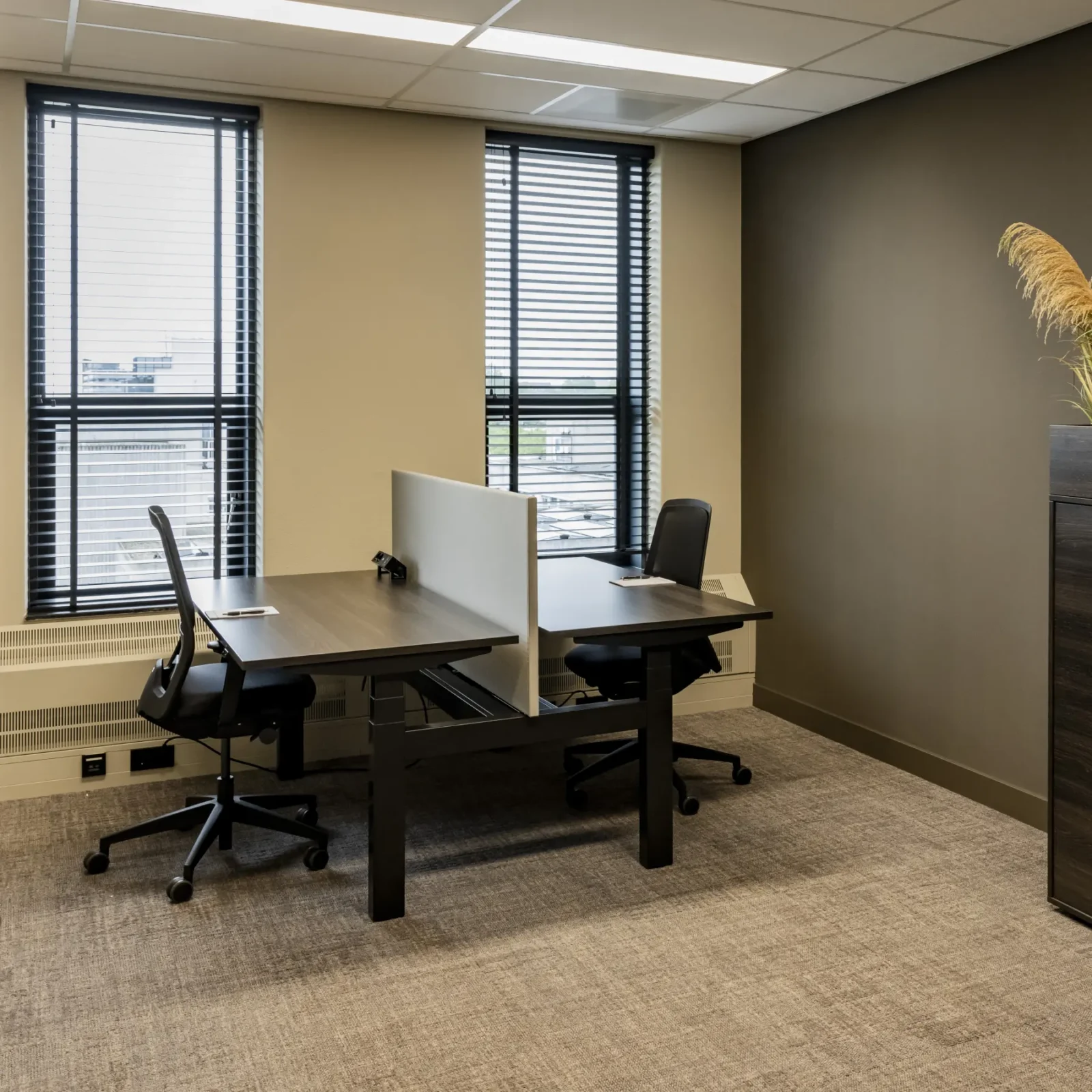
A good desk matches your chair. The top should be at roughly the height of your elbows when your arms hang relaxed by your sides. That way you can type without hunching your shoulders. A height-adjustable desk makes this easy, especially when several people use the same spot.
A sit-stand desk has another advantage: you can work standing for part of the day. When standing, set the desk at elbow height too.
Your screen: distance and height
- Distance. Place the screen at about arm’s length, around 50 to 75 centimetres. A larger screen can be a little further away.
- Height. The top edge of the screen is at eye level or slightly below. That way you look down slightly and your neck does not have to bend.
- Straight ahead. Put the screen straight in front of you, not at an angle next to your keyboard.
- Working on a laptop? Put it on a stand and use a separate keyboard and mouse. Otherwise you spend the whole day looking down.
Keyboard and mouse
Place the keyboard flat and straight in front of you, with the mouse right next to it. That way you do not have to stretch your arm far. A smaller keyboard without a number pad helps: the mouse comes closer.
Light
Daylight is pleasant, but bright light on your screen is not. Place the screen at a right angle to the window, so the light comes from the side. That prevents glare and reflections. When it is dark outside, make sure there is enough light on your desk without a lamp reflecting in the screen.
Changing position matters most
Even the best posture becomes a bad one after an hour. So change regularly: shift your position a little every few minutes, and stand up often. Take calls standing, walk to the pantry for a coffee, or go over to a colleague’s desk for a quick word. The more you move, the fewer complaints you have.
Do you also work at home?
The same rules apply at home. That is exactly where people often sit at a kitchen table on a chair that was not made for it. If you work at home regularly, a good chair and a separate screen are worth it. Not sure whether working from home works for you? Then read “Working from home or a workspace away from home?”
Checklist: go through your workstation
- Feet flat on the floor, knees and hips at a right angle.
- A fist’s width between the seat and your lower leg.
- Lower back supported by the backrest.
- Desk top and armrests at elbow height.
- Screen at arm’s length, top edge at eye level.
- Screen at a right angle to the window, without glare.
- Keyboard and mouse close together and straight in front of you.
- Change position every few minutes and stand up regularly.
For more on a pleasant workspace, from light to plants, read “Furnishing your office: how to make it a great place to work”. And whether an open space or a private office suits you better is covered in “Open-plan office or private office: which works better?”
Frequently asked questions
How high should a desk be?
At roughly the height of your elbows when your arms hang relaxed and you are sitting properly. Because everyone is different, a height-adjustable desk is the most practical.
How far away should your screen be?
About arm’s length, around 50 to 75 centimetres, with the top edge at eye level or slightly below. A larger screen can be a little further away.
How often should I stand up?
There is no fixed rule, but shift your position a little every few minutes and stand up regularly. Making a quick call or fetching a coffee counts too.